Introduce Nexi, explain what she can and cannot see, and establish automation that never removes customer control.
01
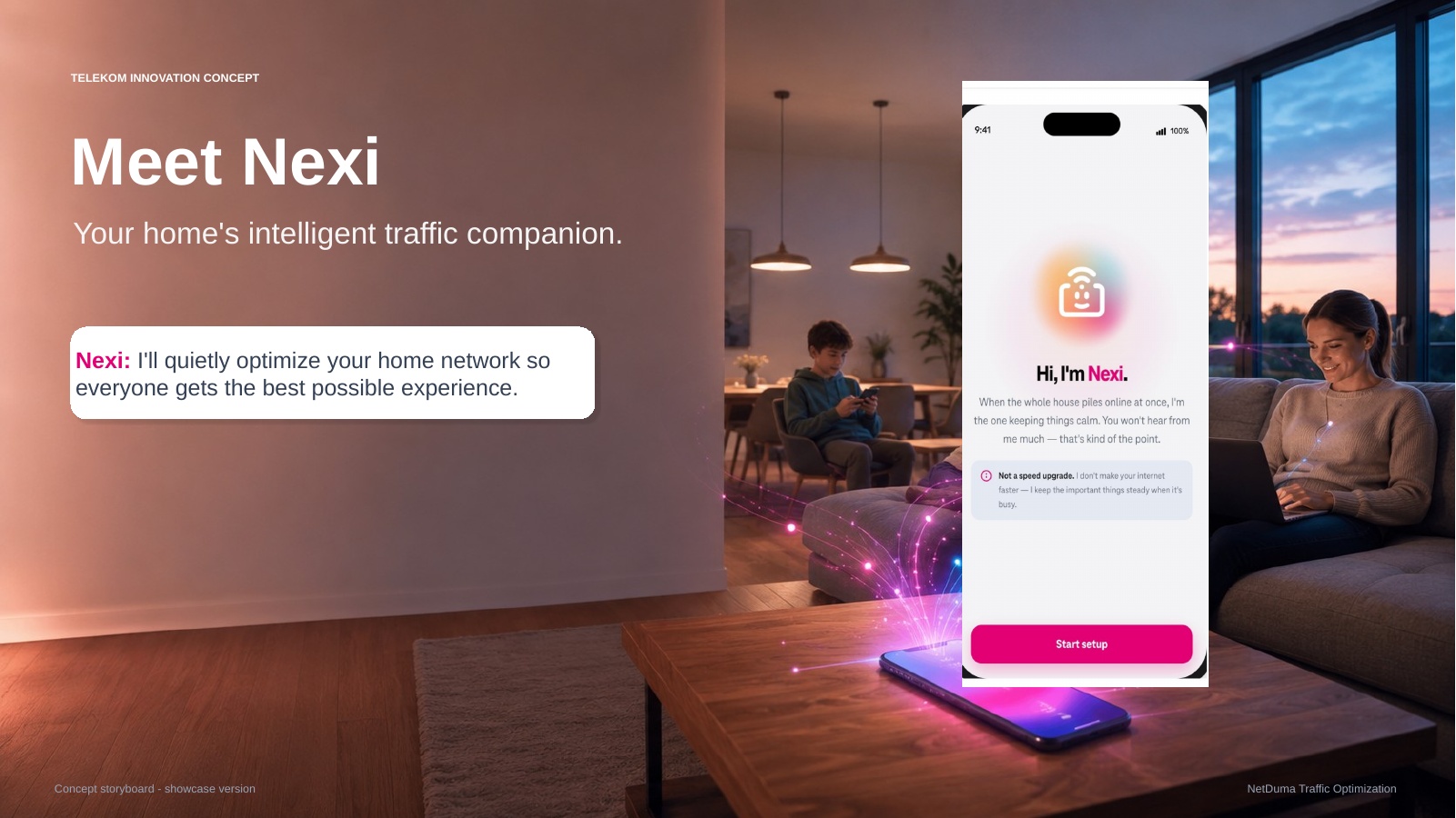
Meet Nexi
Source frame 01Open full resolution ↗
Purpose
Introduce Nexi as the quiet layer that keeps important applications stable when the home network becomes busy.
Visible action
Nexi appears in the service experience.
The customer starts setup.
The promise is stability under load, not a speed upgrade.
Production
Open with a calm household scene and a slow move into the phone UI. Keep the first beat simple; the explanation follows later.
02
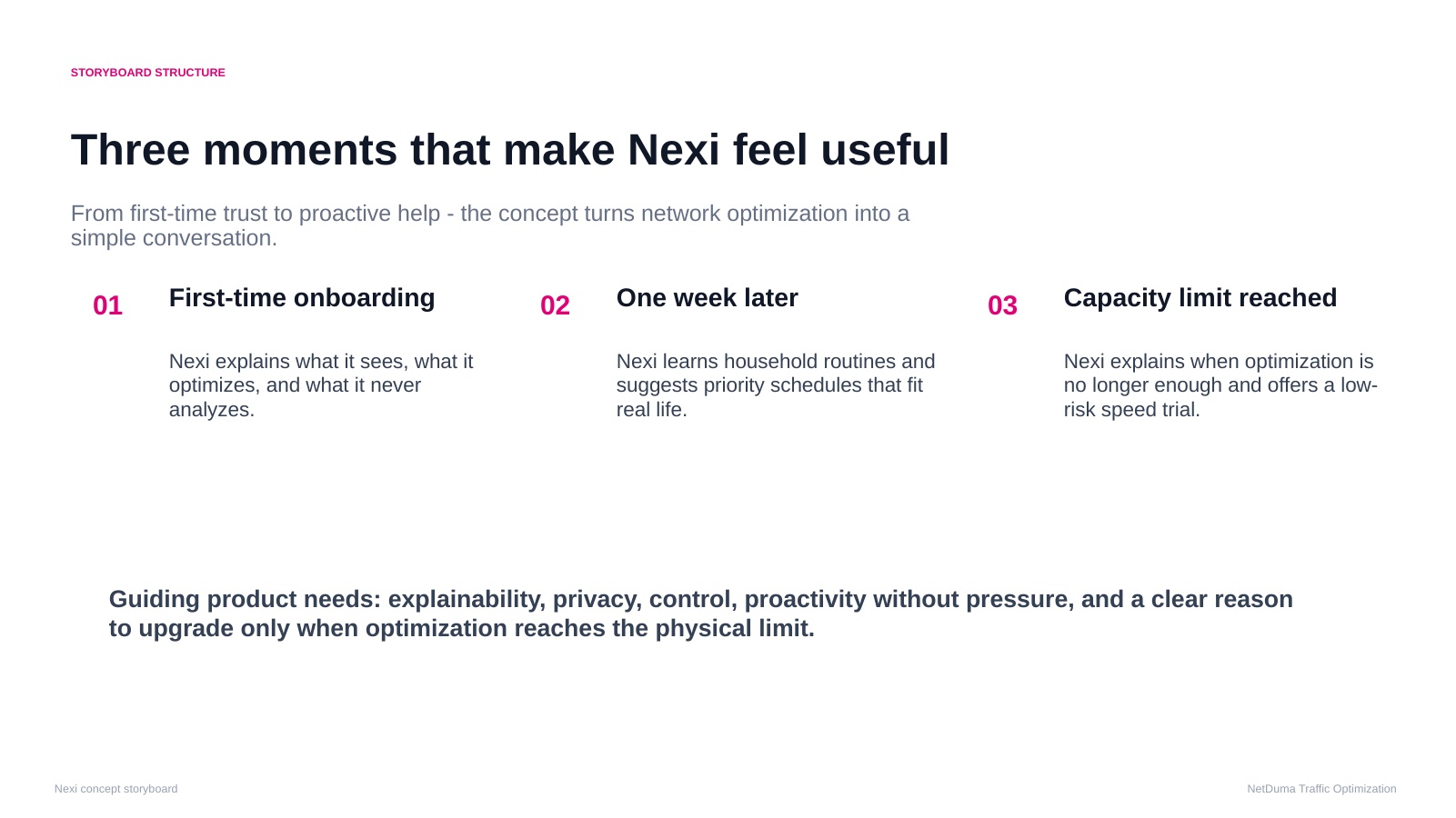
Three moments that make Nexi useful
Source frame 02Open full resolution ↗
Narrative arc
First-time onboarding
One week later
Capacity limit reached
Product requirements
Explainability
Privacy
Visible control
Proactivity without pressure
Proof before a commercial moment
Production
Use as the chapter map or a rapid three-state montage: now, one week later, and network maxed out.
03
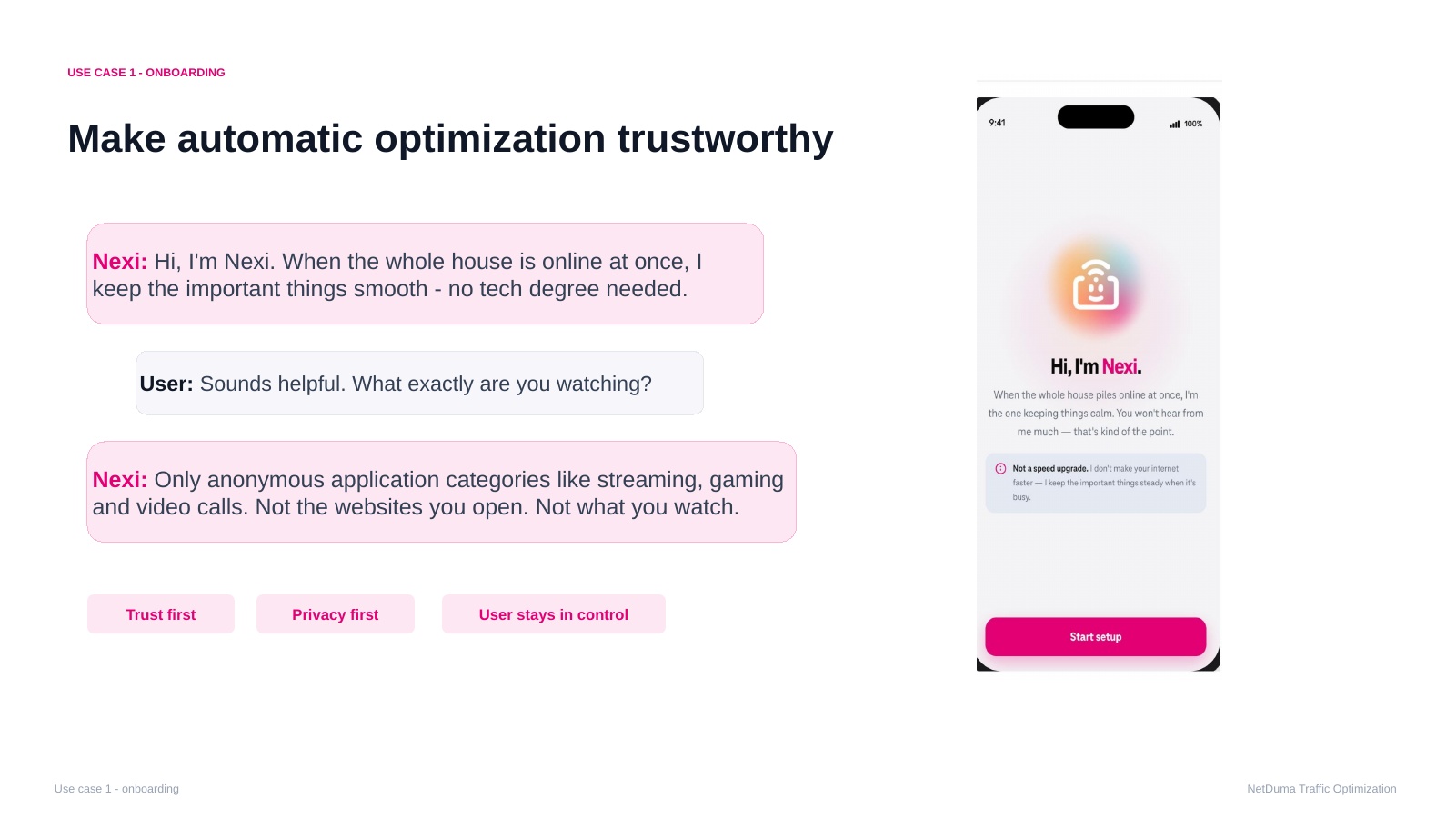
Make automatic optimisation trustworthy
Source frame 03Open full resolution ↗
Dialogue
Nexi: Hi, I'm Nexi. When this whole house is online at once, I keep the important things smooth—no tech degree needed.
User: Sounds helpful. What exactly are you watching?
Nexi: Only anonymous application categories like streaming, gaming, and video calls. Not the websites you open. Not what you watch.
Visible action
Nexi explains the privacy boundary before setup continues.
Production
Use two distinct voices or readable chat bubbles. Do not imply that the microphone is always active.
04
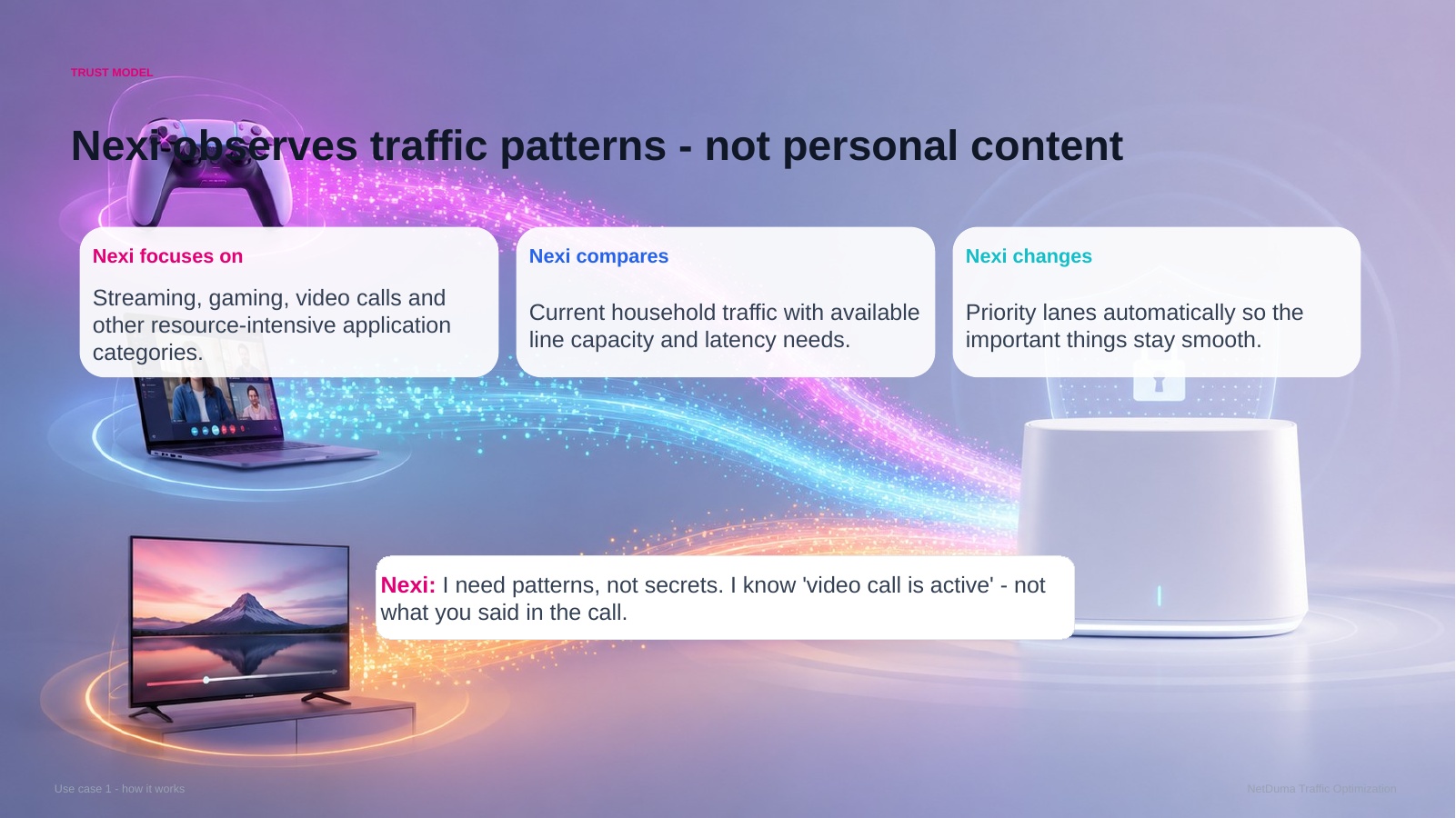
Traffic patterns, not personal content
Source frame 04Open full resolution ↗
How it works
Recognise traffic categories.
Compare demand, capacity, and latency needs.
Adjust priority when the network becomes busy.
Key line
Nexi: I need patterns, not secrets. I know a video call is active—not what you said in the call.
Production
Show abstract traffic flows in a three-step progression: observe, compare, adjust. Avoid personal screens or browsing content.
05
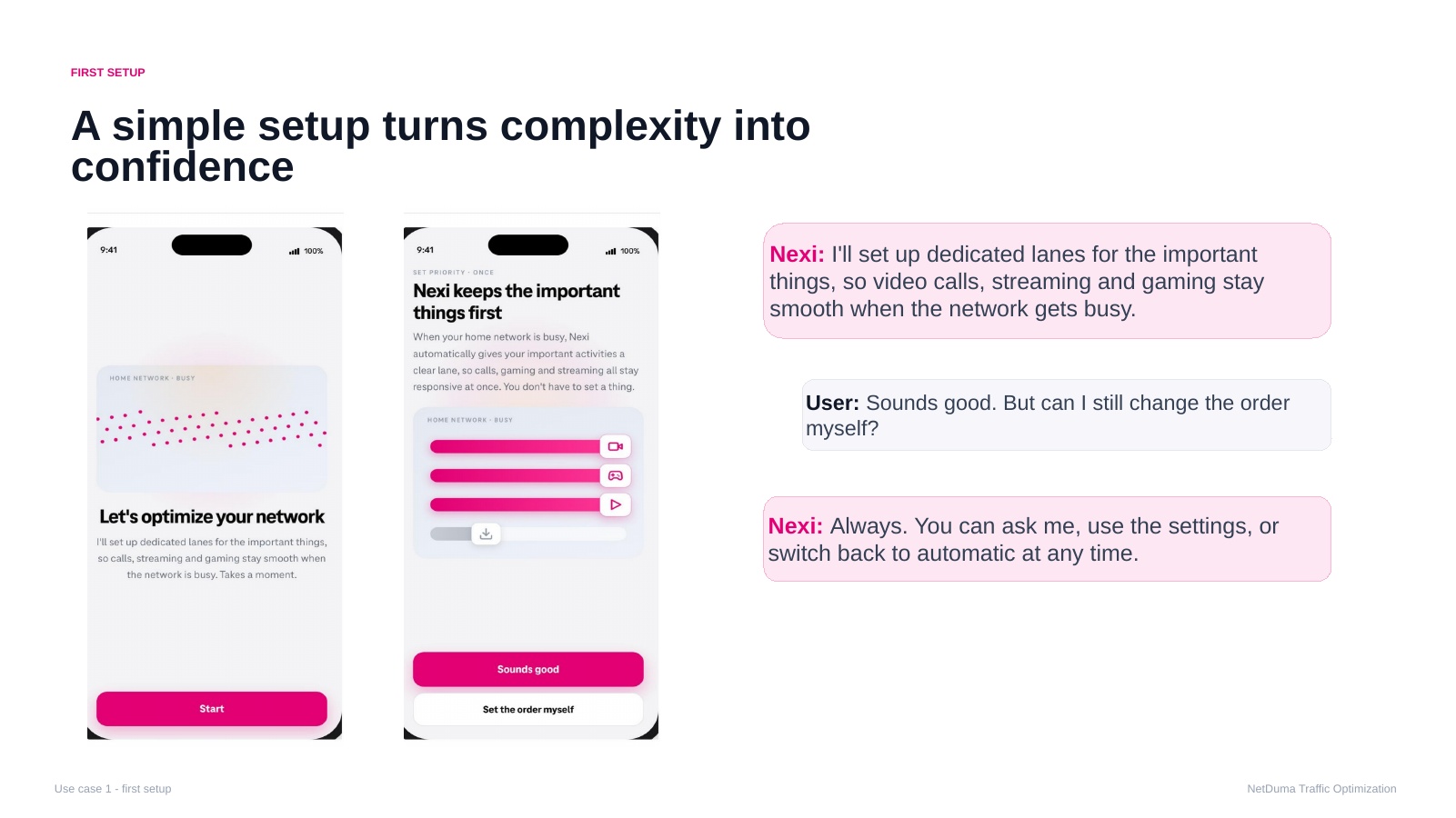
A simple setup turns complexity into confidence
Source frame 05Open full resolution ↗
Dialogue
Nexi: I'll set up dedicated lanes for the important things, so video calls, streaming, and gaming stay smooth when the network gets busy.
User: Sounds good. But can I still change the order myself?
Nexi: Always. You can ask me, use the settings, or switch back to automatic at any time.
Visible action
The priority order appears with Sounds good and Set the order myself.
Production
Animate the categories into position and leave the control answer visible as the scene resolves.
06
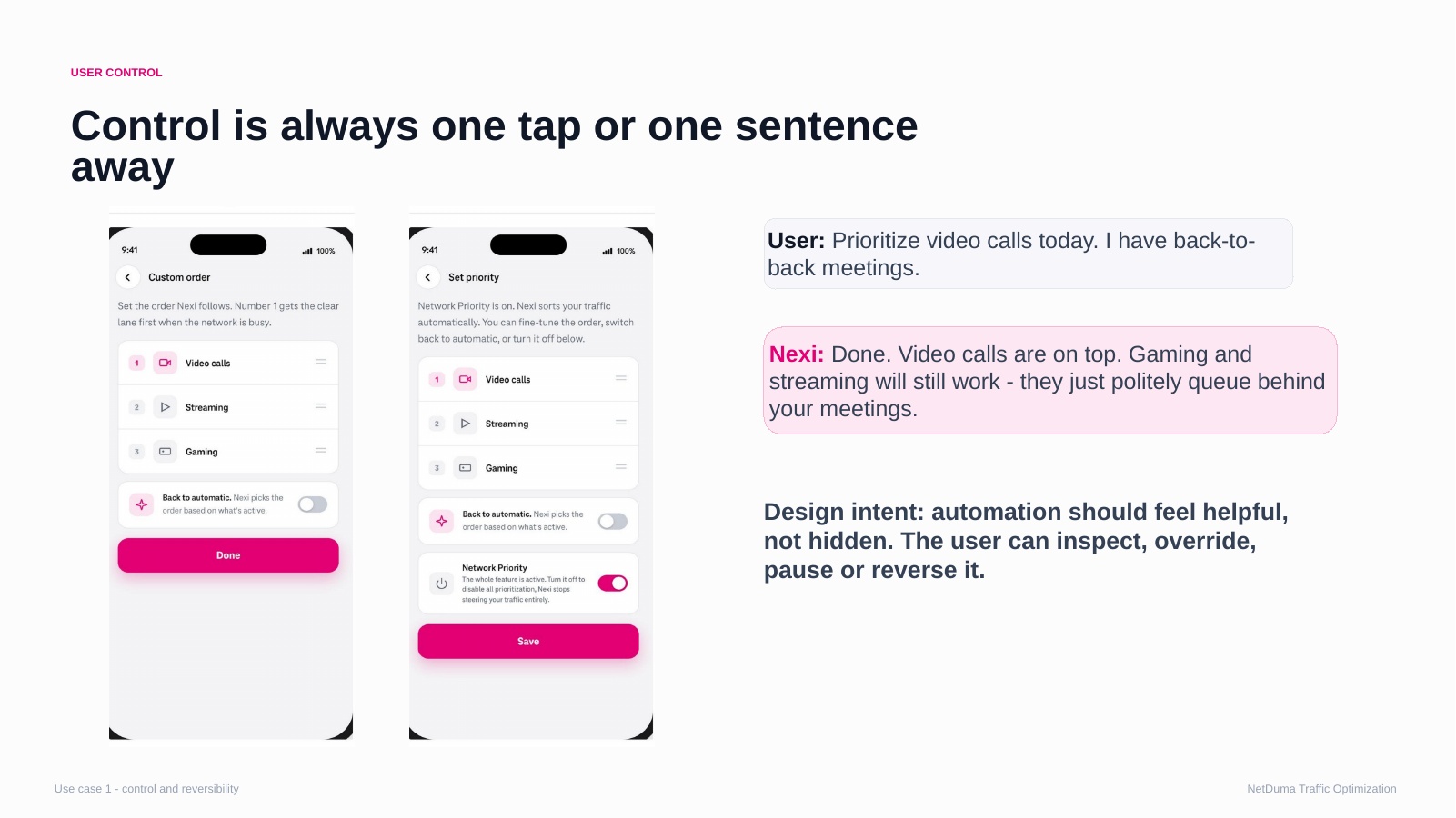
Control is one tap or one sentence away
Source frame 06Open full resolution ↗
Dialogue
User: Prioritise video calls today. I have back-to-back meetings.
Nexi: Done. Video calls are on top. Gaming and streaming will still work; they will briefly wait behind your meetings.
Visible action
Video Calls moves to the top while direct controls remain available.
Production
Pair the natural-language command with a clear list reorder and plain-language confirmation.
07
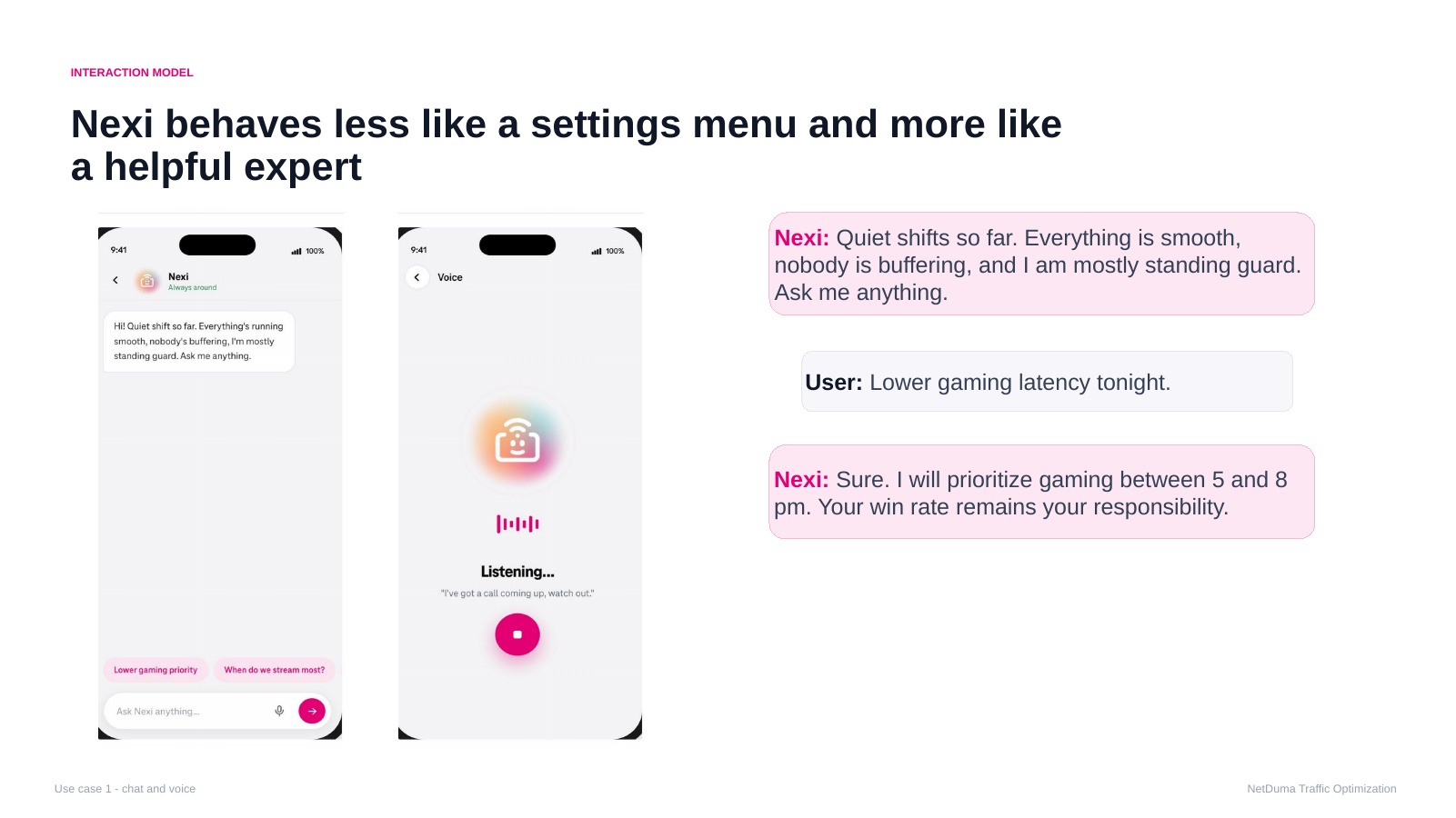
A helpful expert, not a settings menu
Source frame 07Open full resolution ↗
Dialogue
Nexi: Your home has been quiet. Everything is under control. Ask me anything.
User: Lower gaming latency tonight.
Nexi: Gaming is prioritised from 17:00 to 20:00. I cannot promise a better win rate.
Visible action
The user invokes Nexi deliberately; the response turns intent into a temporary schedule.
Production
Strongest candidate for explicit voice. Show listening and transcription only after activation.
B · 08–10
Learned routines and transparency
Nexi becomes proactive only after she can explain a pattern and ask the customer for permission.
08
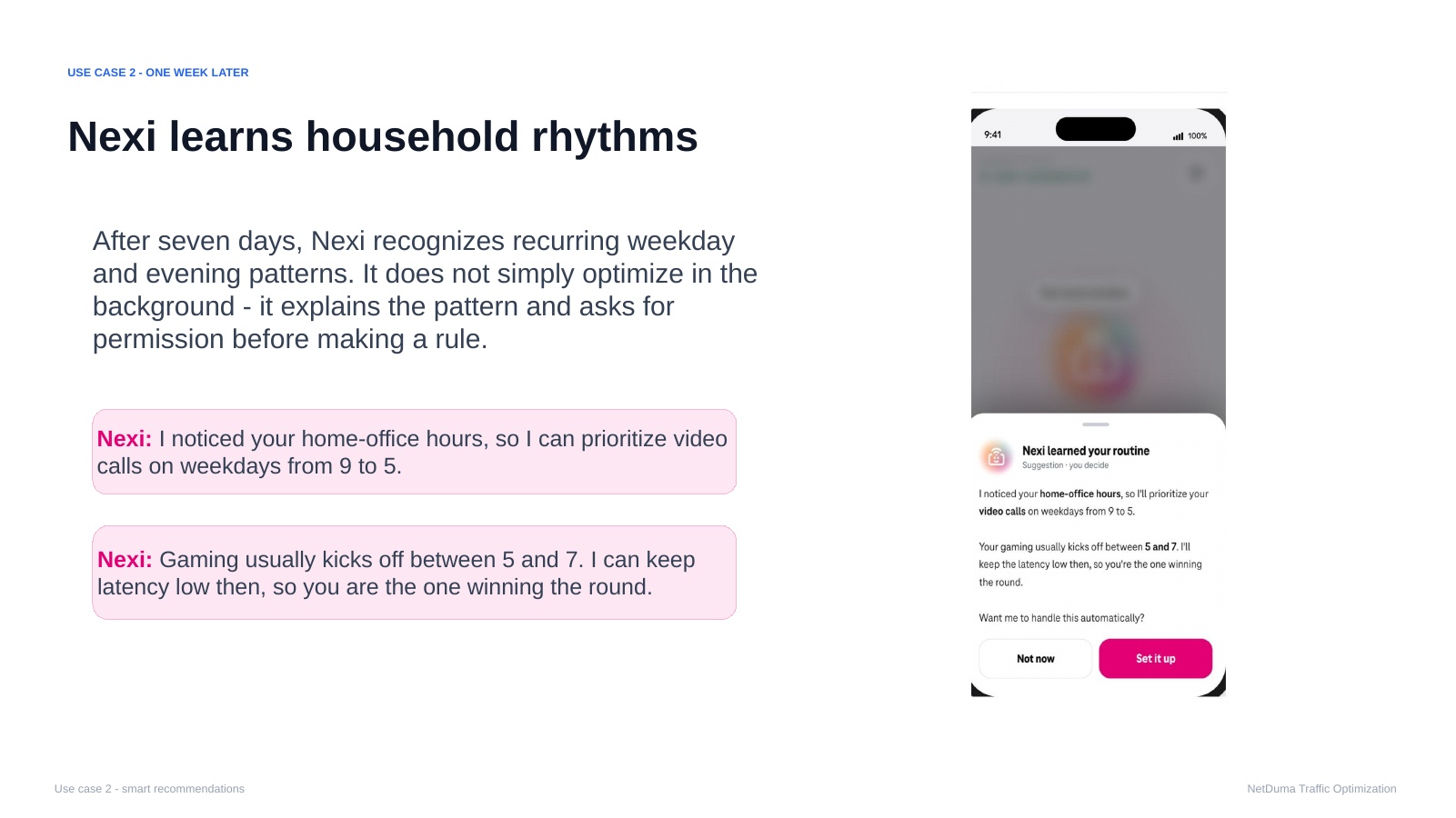
One week later: Nexi learns household rhythms
Source frame 08Open full resolution ↗
Detected pattern
Video Calls · weekdays 09:00–17:00
Gaming · usually 17:00–19:00
Visible action
A proactive recommendation arrives with Not now and Set it up. No lasting rule exists before consent.
Production
Use a clear “One week later” time transition. Let the pattern card arrive quietly, outside an active task.
09
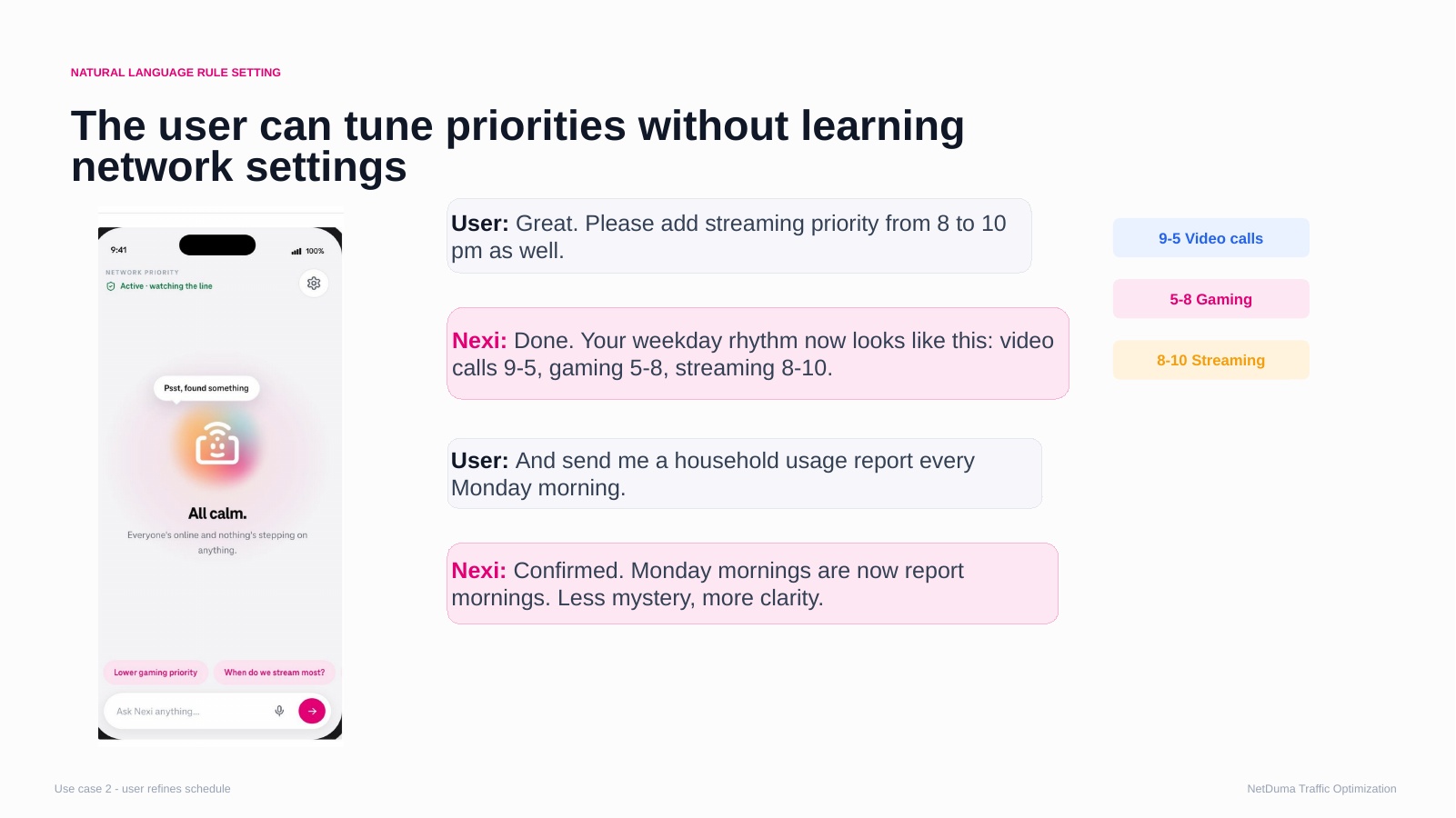
Tune priorities in natural language
Source frame 09Open full resolution ↗
Dialogue
User: Please add streaming priority from 20:00 to 22:00.
Nexi: Done. Your weekday rhythm now looks like this: video calls 09:00–17:00, gaming 17:00–20:00, streaming 20:00–22:00.
User: Send me a household usage report every Monday morning.
Nexi: Confirmed. Monday mornings are now report mornings. Less mystery, more clarity.
Visible action
The changed schedule block updates and the complete weekly rhythm remains visible as a receipt.
Production
Combine with Beat 08 if needed. Animate only what changes.
10
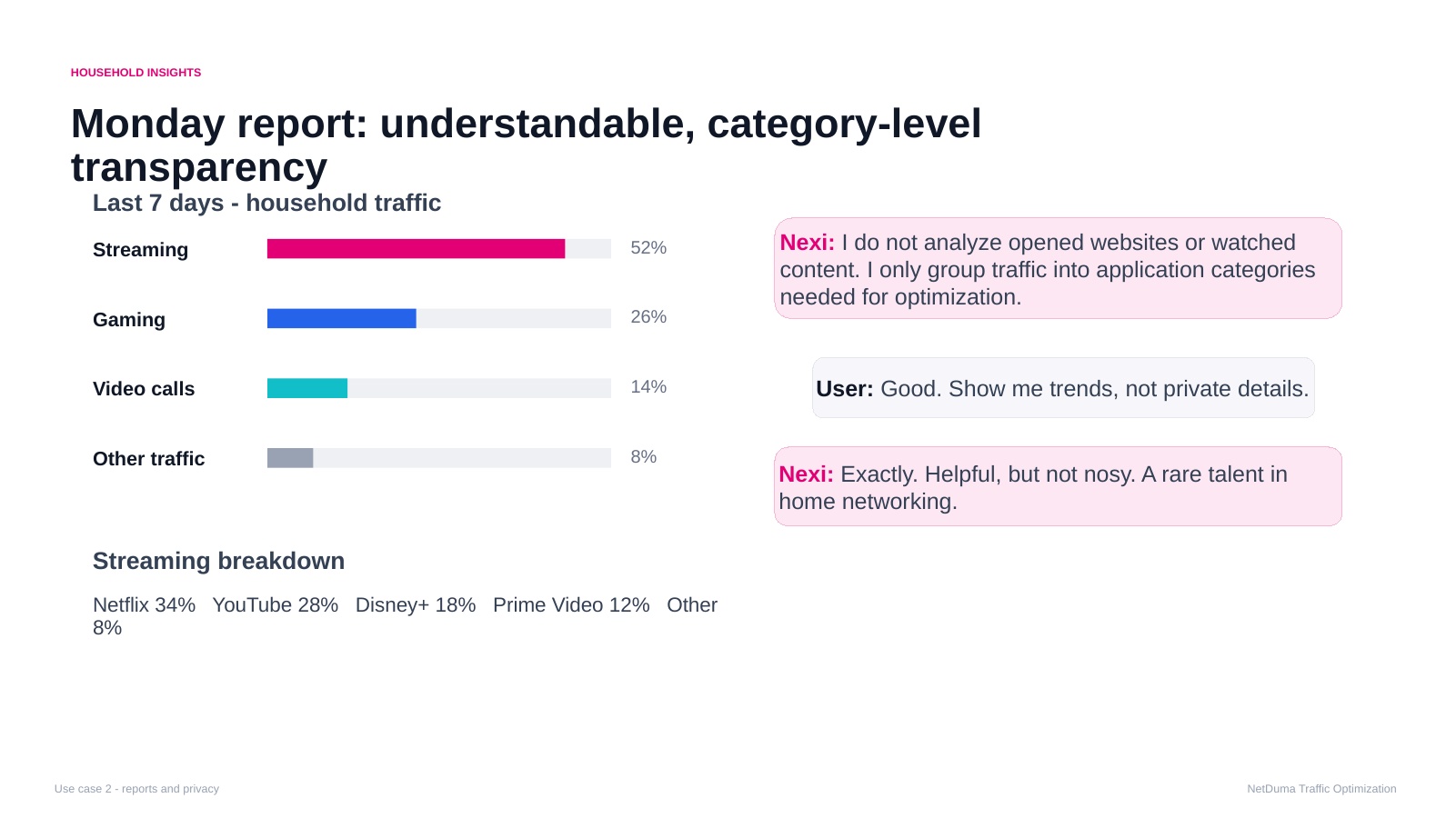
Monday report: understandable transparency
Source frame 10Open full resolution ↗
Last seven days
52%Streaming
26%Gaming
14%Video calls
8%Other traffic
Streaming detail shown
Netflix 34%
YouTube 28%
Disney+ 18%
Prime Video 12%
Other 8%
Production
Use a simple bar reveal. Treat this as usage insight, not proof that Nexi “helped.” Optional in a short cut.
Dialogue
Nexi: I do not analyse opened websites or watched content. I only group traffic into application categories needed for optimisation.
User: Good. Show me trends, not private details.
Nexi: Exactly. Helpful, but not nosy. A rare talent in home networking.
C · 11–14
Capacity limit and commercial moment
Nexi explains a real physical boundary and its trade-off before presenting a low-pressure option for more headroom.
11
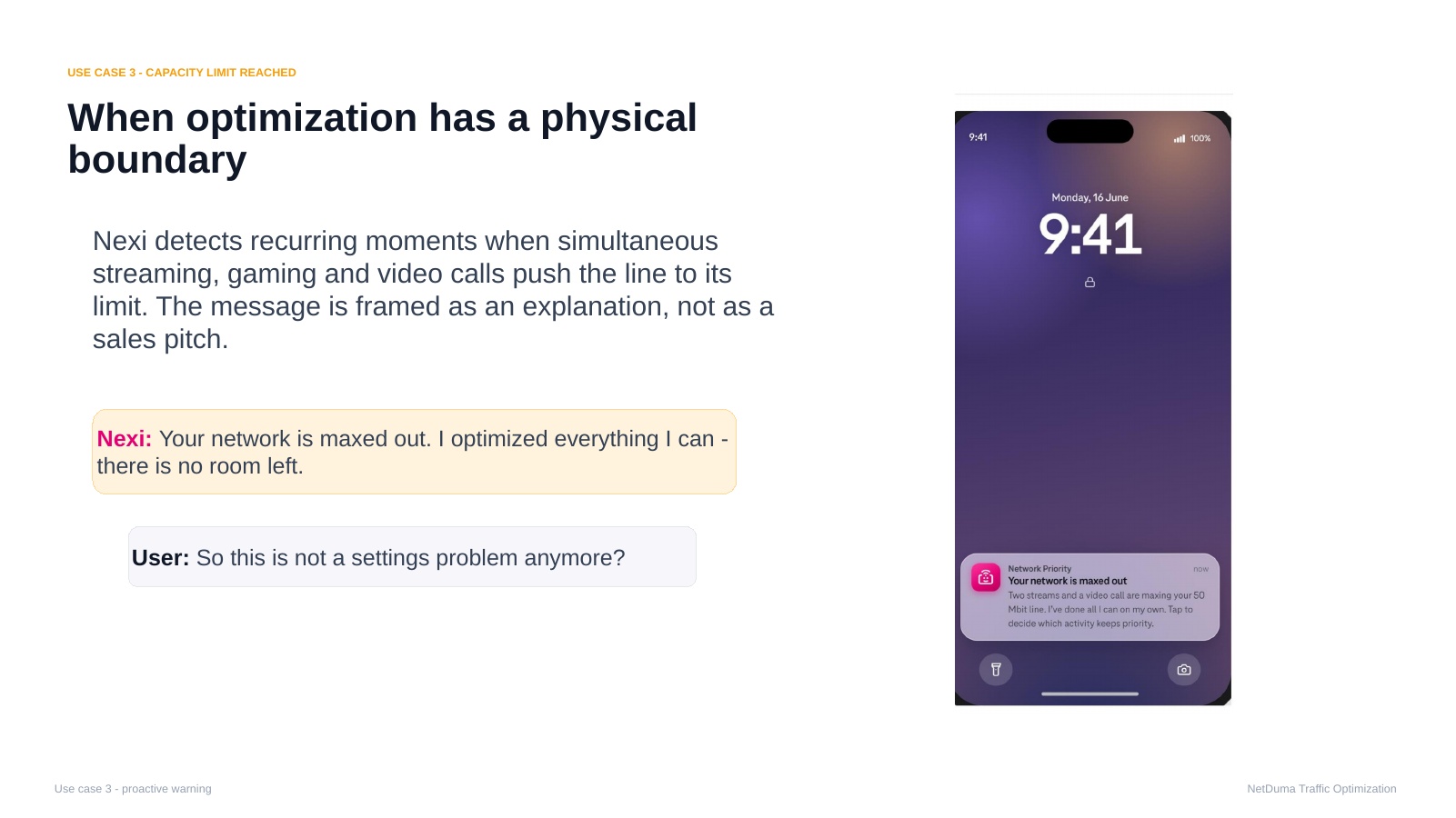
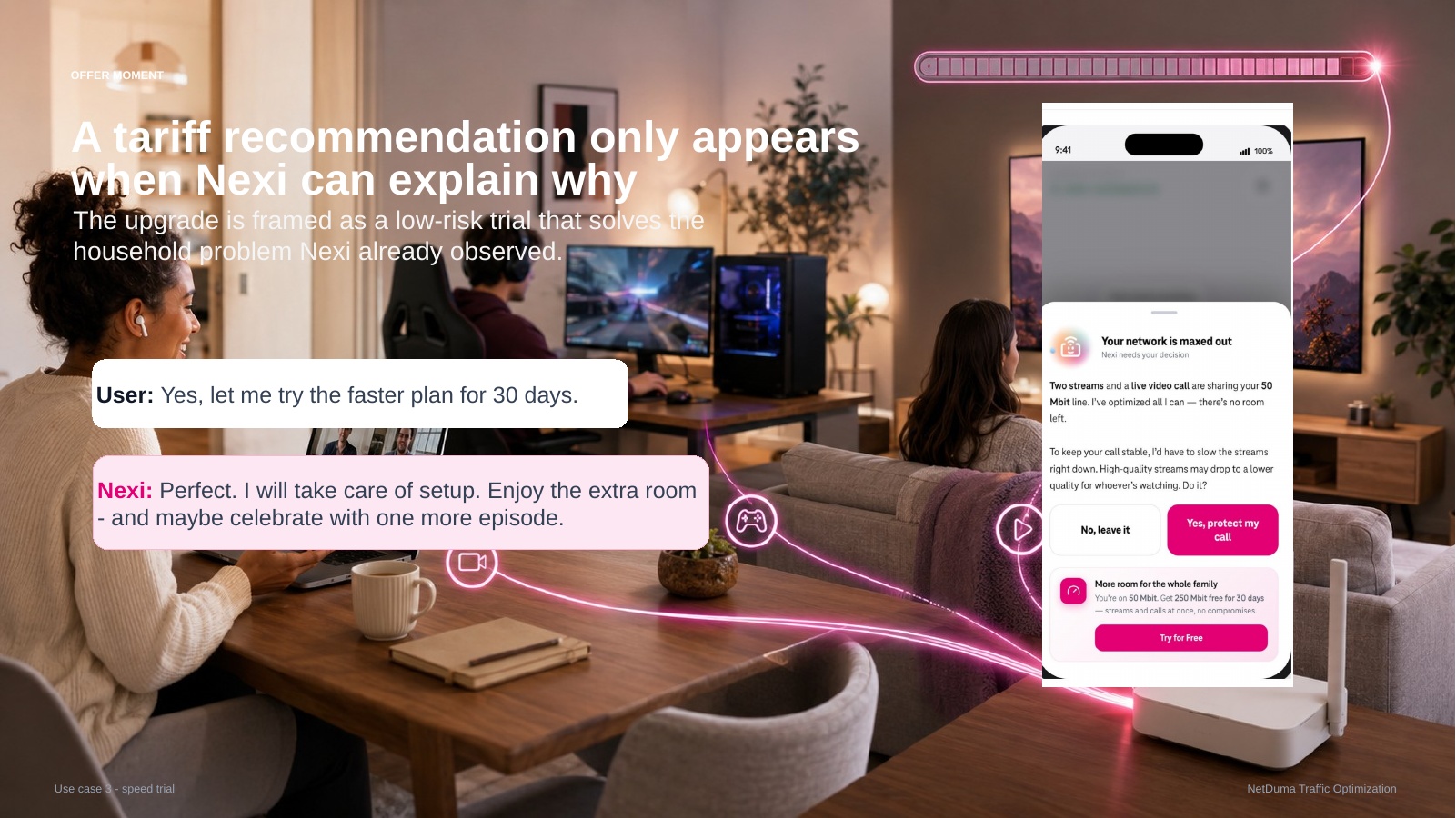
Optimisation reaches a physical boundary
Source frame 11Open full resolution ↗
Key line
Nexi: Your network is maxed out. I optimised everything I can—there is no room left.
Visible action
A lock-screen notification opens into an explanation. No commercial offer appears before the limit is understood.
Production
Shift from the calm routine into household pressure, then move from the lock screen to the in-app detail state.
12
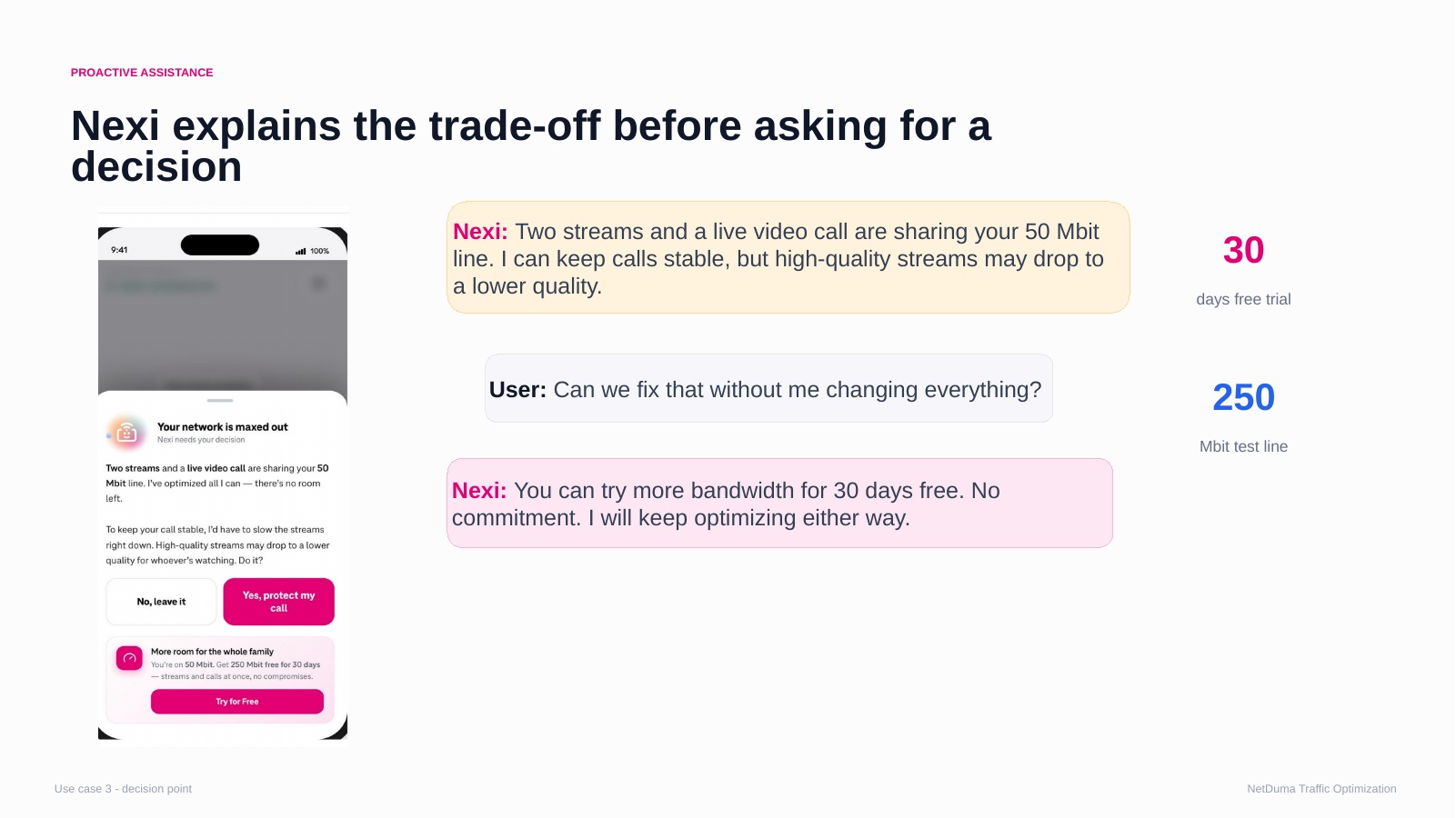
Explain the trade-off before asking for a decision
Source frame 12Open full resolution ↗
Scenario
Current line: 50 Mbit/s
Two streams and one live video call
The call can remain stable, but stream quality may fall
Concept offer
250 Mbit/s trial
30 days free
No commitment
Optimisation continues either way
Dialogue
Nexi: I can keep your call stable, but high-quality streams may need to step down.
User: Can we fix that without changing everything?
Nexi: You can try more headroom for 30 days. There is no commitment, and I will keep optimising either way.
13
A recommendation appears only with proof
Source frame 13Open full resolution ↗
Story
The customer accepts the temporary higher-capacity trial. The recommendation resolves because it answers an observed problem, not because Nexi is promoting a tariff.
Production
Use a short confirmation state. Keep the reason for the offer visible and do not imply instant provisioning unless supported.
14
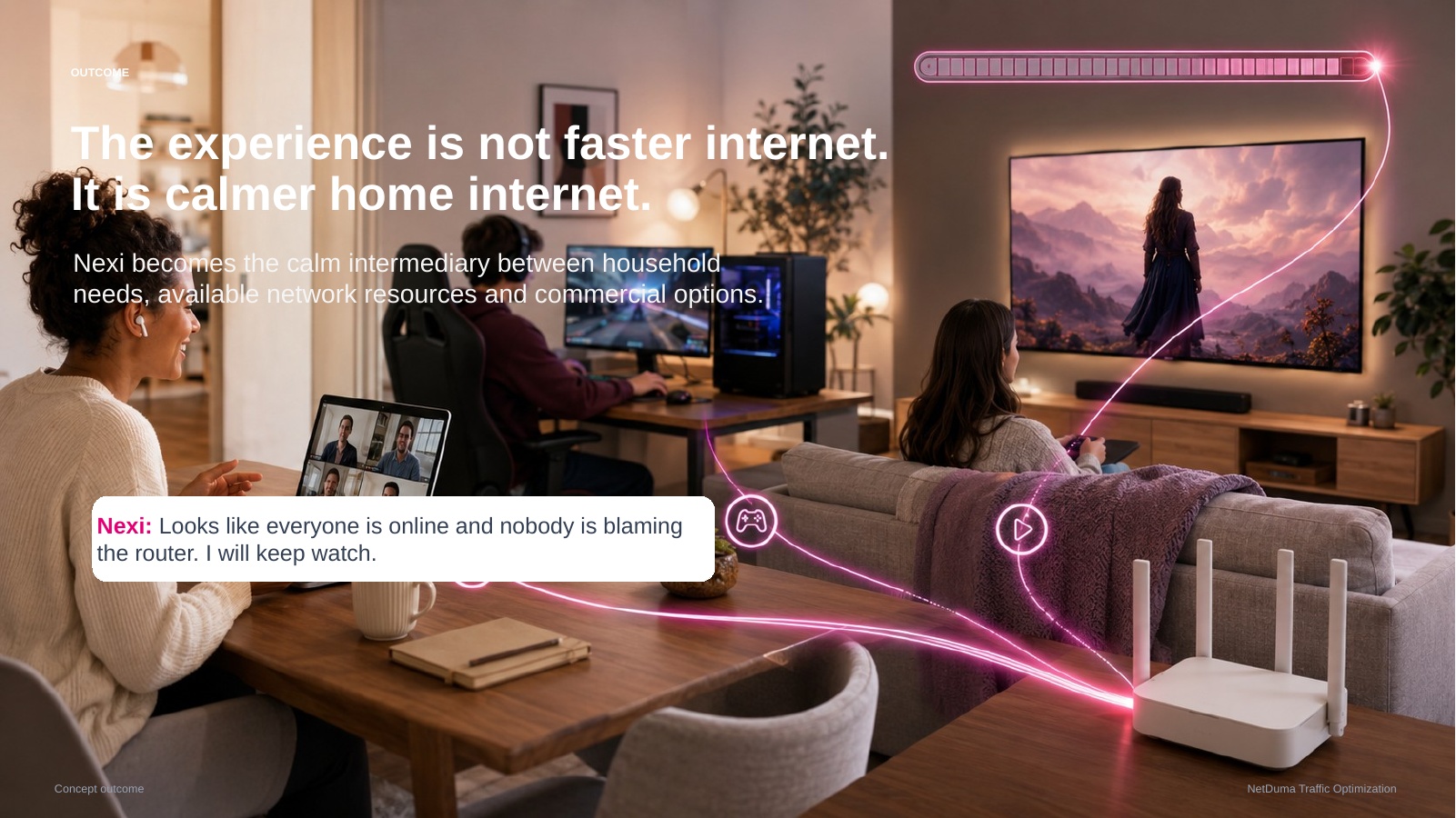
The outcome is calmer home internet
Source frame 14Open full resolution ↗
Core line
The experience is not faster internet. It is calmer home internet.
Story
Nexi mediates between household needs, available resources, and commercial options. Everyone stays online without managing or blaming the router.
Production
Return to the calm home from Beat 01. End on the product promise, not the upgrade CTA.
D · 15–16
Principles and validation
Protect trust as the concept evolves, then test the moments where the customer grants or withdraws permission.
15
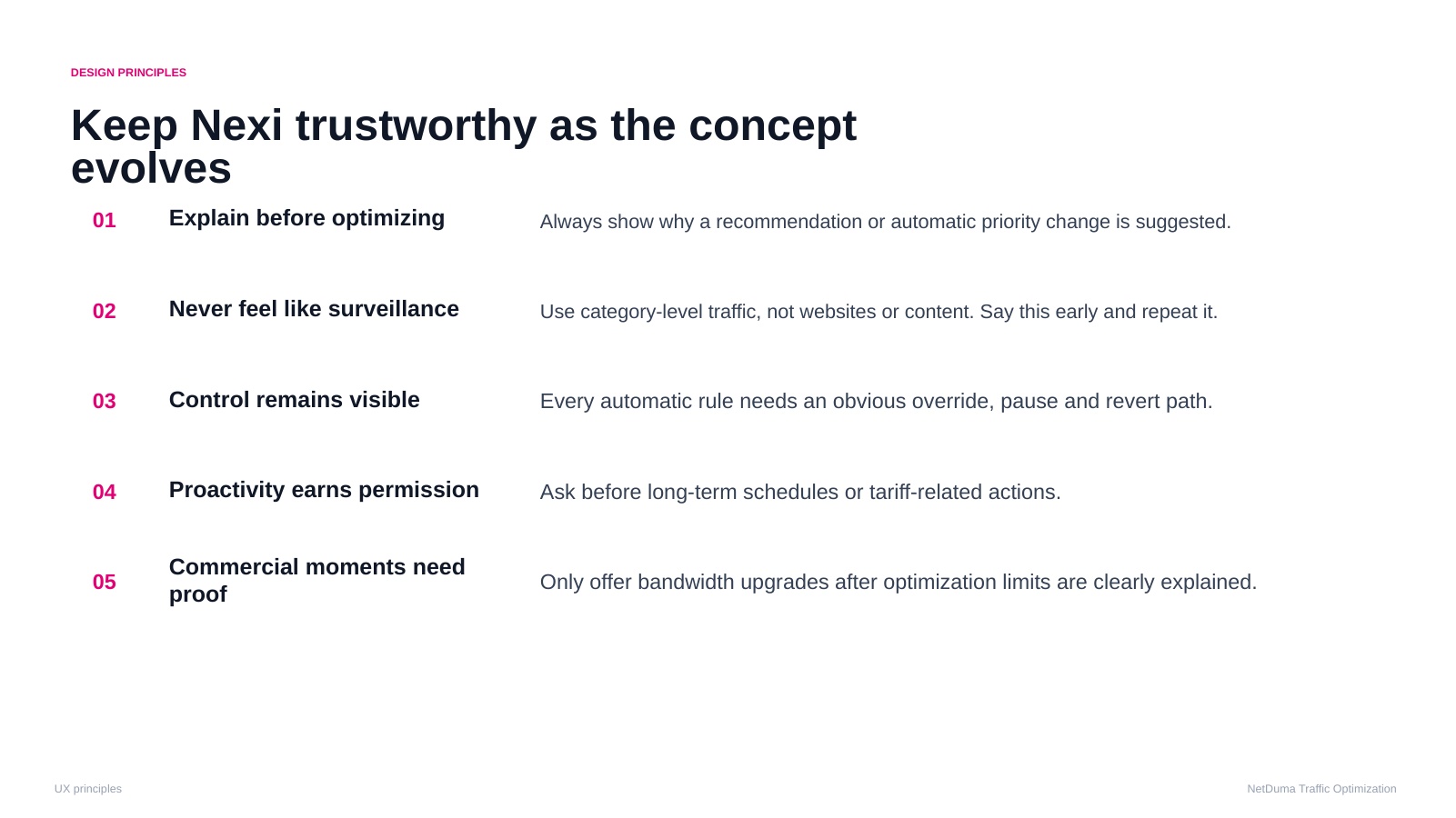
Keep Nexi trustworthy as the concept evolves
Source frame 15Open full resolution ↗
Five principles
Explain before optimisingShow why a recommendation or automatic change is suggested.
Never feel like surveillanceUse category-level patterns and state clearly what Nexi cannot see.
Control remains visibleCustomers can inspect, override, pause, and reverse.
Proactivity earns permissionRecommendations become automation only after consent.
Commercial moments need proofOffers follow observed limits, not generic promotion.
Production
Use as a fast visual recap with one recalled moment from each chapter rather than a narrated policy slide.
16
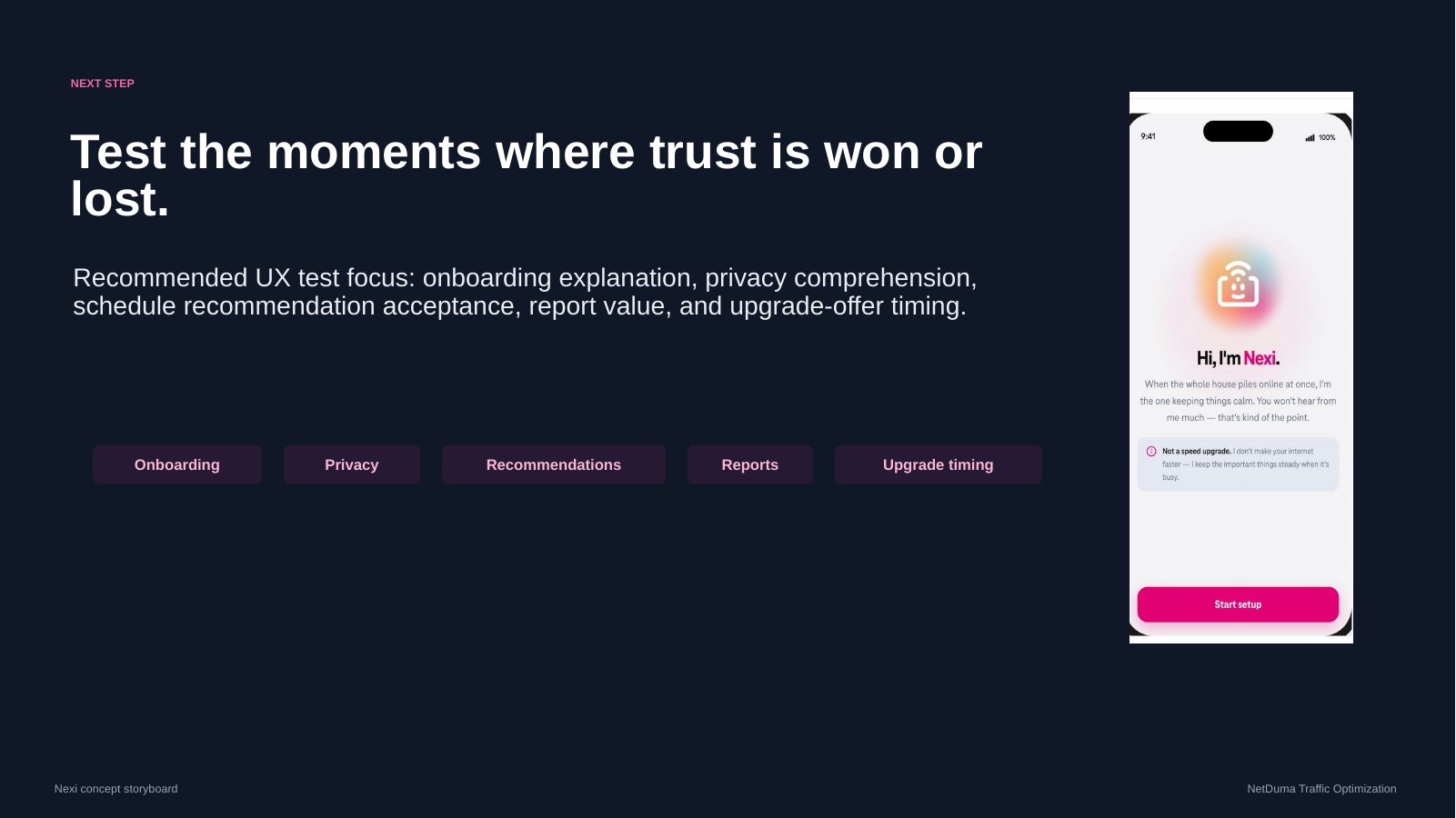
Test the moments where trust is won or lost
Source frame 16Open full resolution ↗
Research priorities
Onboarding clarity
Privacy understanding
Schedule acceptance
Report value
Decision moments
Capacity explanation
Offer timing
Visible direct control
Ability to decline or reverse
Production
Close on the next learning step. The storyboard is a target interaction model, not an implementation commitment.
Next decision
Video production handoff
The production system should make the three scenario clips deterministic, editable, and easy to review without coupling dialogue, UI state, motion, and final video export into one fragile timeline.